
CLAYDYを使用してGoogleスプレッドシートでAIチャットボットをトレーニングする
Google スプレッドシートを使用した AI チャットボットのトレーニングが、かつてないほど簡単になりました。以下の簡単な手順に従って開始してください。
GoogleスプレッドシートでAIチャットボットをトレーニングするためのステップバイステップガイド
ステップ1: First, head over to the Knowledge Hub. You can easily access it through the フォローリンク.
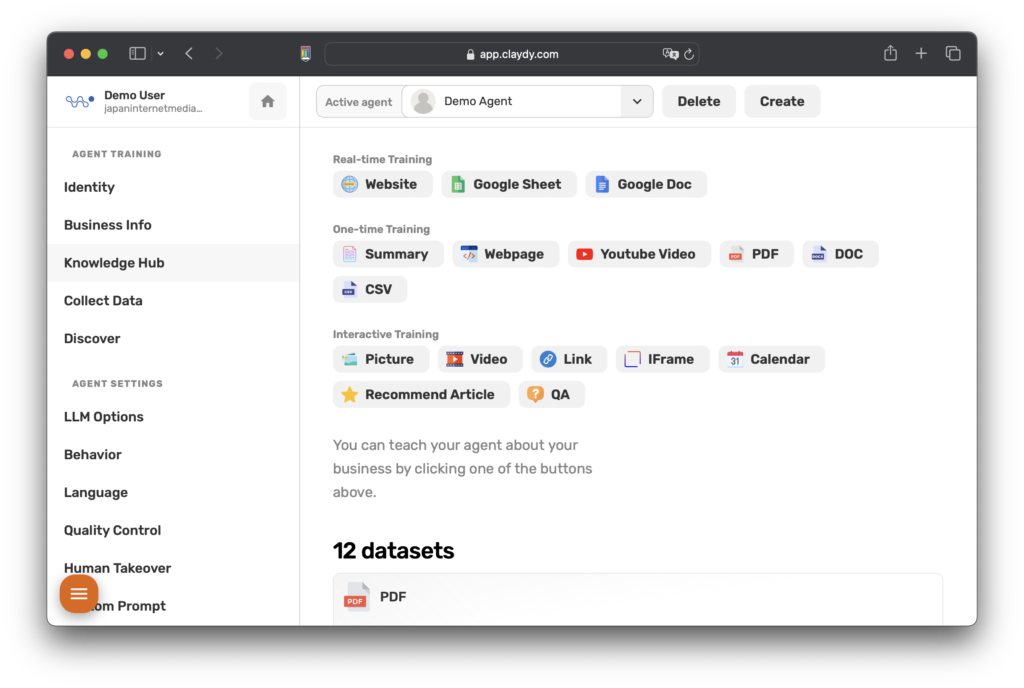
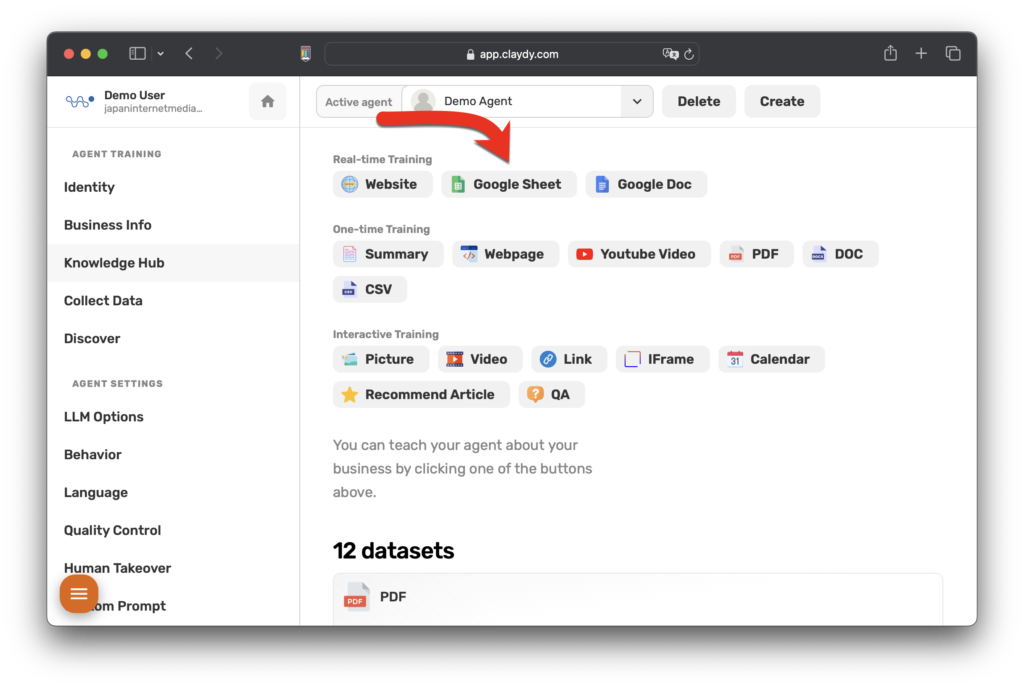
ステップ2: Once you're on the Knowledge Hub page, find the Google Sheet button located under the 'Realtime Training' section. Click on it to proceed.
ステップ3: You will then be prompted to enter your Google Sheet's URL. Make sure your Google Sheet is publicly accessible so our system can import it seamlessly.
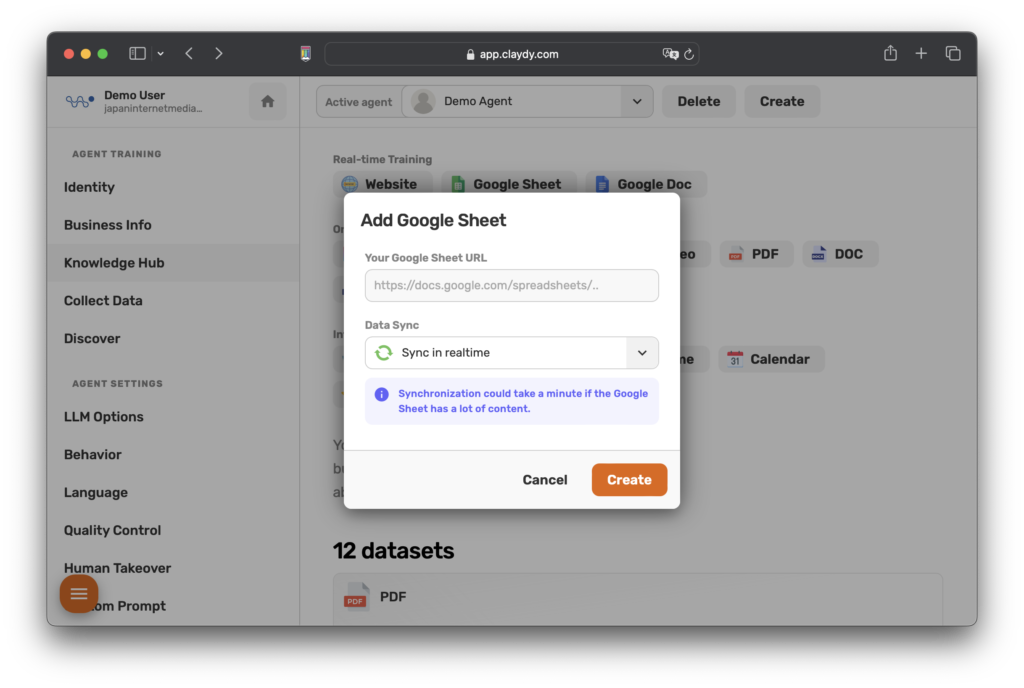
「作成」をクリックした後は、ゆったりと座ってリラックスできます。当社の高度なシステムは、GoogleスプレッドシートのダウンロードとAIチャットボットのメモリへの統合を処理します。
問題が発生した場合やサポートが必要な場合は、メールでいつでもお手伝いします。
これらの手順に従うことで、CLAYDYでGoogleスプレッドシートを使用してAIチャットボットを効果的にトレーニングできます。このプロセスにより、トレーニングルーチンが簡素化されるだけでなく、AIチャットボットに最新の情報が提供されます。